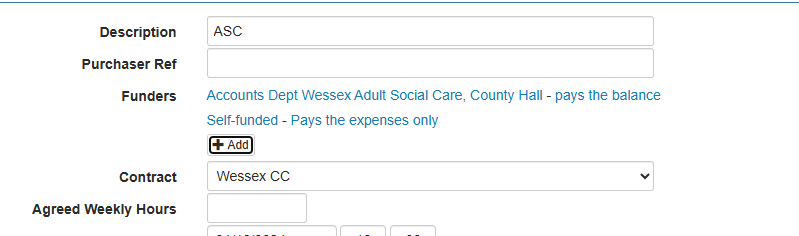
In the scenario where care is commissioned by the local authority but the client will cover expenses such as travel or parking these expenses can be invoiced to the self funder using the split funding options.
If you have previously invoiced the client it would be best practice to start a new contract. Set the funder as normal to SS, then use the Add button under the funder field to add another funder and set them as shown below:
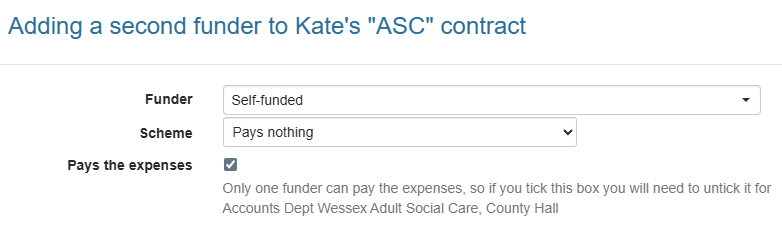
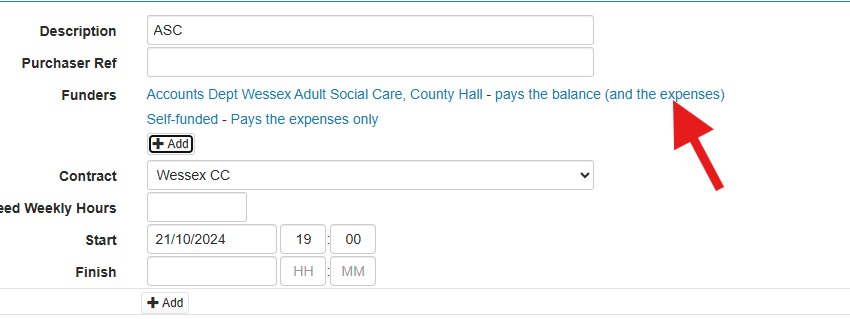
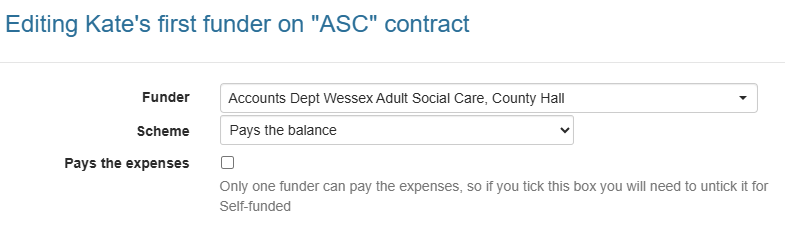
You will then be shown the setup for SS and can remove the tick:
You will then be left with a list of funders for the contract, one who pays the balance and one who pays the expenses (see below), at this point you can save your changes: